

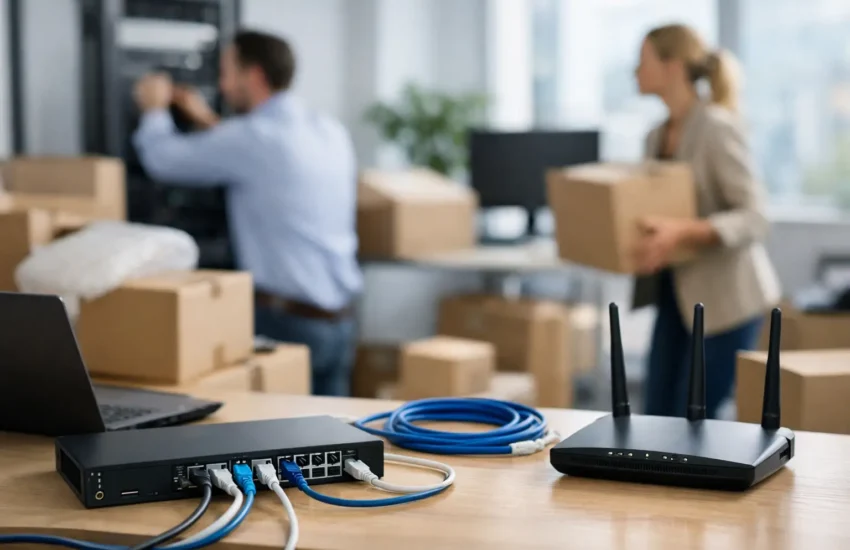
An office move can look complete on move-in day while the business is still unable to operate. Employees may have desks, monitors, and keys, but without reliable connectivity, secure access, working phones, and properly configured systems, productivity stops. Thoughtful network design for office relocation prevents that expensive gap between occupying a new space and being ready to work.
For growing businesses, the move is also a rare opportunity to correct technology issues that have been tolerated for too long: weak Wi-Fi, crowded server closets, unmanaged cables, limited internet capacity, and security controls that no longer fit the way people work. The goal is not simply to recreate the old network at a new address. It is to build an environment that supports the next stage of the business.
Start Network Design for Office Relocation Before Signing Off on the Space
Technology requirements should influence the office selection and build-out process, not follow it. Before finalizing a lease or construction plan, confirm which internet service providers can serve the building, what installation lead times look like, and whether the available service levels meet your operational needs. In some buildings, a new circuit can take weeks or months to install. Waiting until move week creates unnecessary risk.
Begin with a practical assessment of how your team works. Count not only employees, but also workstations, conference rooms, printers, wireless devices, security cameras, access-control systems, VoIP phones, and guest users. A company with 40 employees can easily have several hundred connected devices once mobile devices and building systems are included.
This is also the time to decide what should remain on-site and what should move to the cloud. A cloud-first company may need little more than high-capacity, redundant internet and secure Wi-Fi. A business with local servers, specialized applications, large files, or compliance obligations may need dedicated equipment rooms, controlled cooling, battery backup, and carefully planned migration windows. Neither approach is automatically better. The right choice depends on applications, risk tolerance, budget, and future growth plans.
Design the Physical Foundation First
The physical layer is difficult and costly to change after walls are closed and furniture is installed. Cabling, equipment-room location, electrical capacity, and wireless access point placement should be planned alongside architectural drawings.
A central network room should be secure, ventilated, and large enough for current equipment plus reasonable expansion. It should not double as a supply closet. Network switches, firewalls, patch panels, battery backups, and internet equipment need organized racks, labeled connections, and protected power. If the office is large or spans multiple floors, intermediate distribution locations may be necessary to keep cable runs within supported limits.
Structured cabling deserves more attention than it often receives. Category 6A cabling is a sensible long-term choice for many offices because it supports higher speeds and can handle power delivery for devices such as access points, cameras, and phones. Fiber connections may be appropriate between floors, suites, or network closets. The best cabling plan is not always the most expensive one, but it should avoid creating a bottleneck that forces a disruptive retrofit in two years.
Wireless design should be based on a site survey and expected usage, not on a guess about how many access points might be needed. Dense areas such as conference rooms, training spaces, executive offices, and open work areas often need different coverage and capacity planning. Wall materials, elevator shafts, glass, and neighboring wireless networks can all affect performance. A properly designed Wi-Fi network separates employee, guest, and device traffic while providing the coverage people expect.
Build Internet Resilience Into the New Office
The primary internet connection is now a business-critical utility. Cloud applications, video meetings, IP phones, remote support, payment systems, and collaboration platforms all depend on it. Capacity planning should account for more than email and web browsing. Consider video calls, large file synchronization, cloud backups, and the number of people who may be connected at peak times.
A second connection is often worth the investment for organizations that cannot afford an outage. Ideally, the backup service uses a different provider and, where possible, a different physical path into the building. If that is not available, a 5G or LTE failover connection can provide a practical layer of protection. It may not support every workload at full speed, but it can keep core systems, communications, and cloud access available while the primary circuit is restored.
Redundancy should be matched to business impact. A small office that can work remotely for a few hours has different needs than a medical practice, financial firm, call center, or company operating time-sensitive customer services. The decision should be based on the cost of downtime, not on a generic equipment checklist.
Make Security Part of the Architecture
Relocation can expose a business to avoidable security gaps. Equipment may be in transit, contractors may require temporary access, and new systems can be configured under time pressure. Security needs to be built into the network design rather than added after the office opens.
Start with a properly configured business firewall, secure remote access, endpoint protection, and centralized monitoring. Segment the network so that employee devices, guest Wi-Fi, servers, printers, cameras, and building systems do not all share the same unrestricted environment. Segmentation limits how far a compromised device can reach and makes it easier to apply appropriate controls to each type of system.
Secure Wi-Fi should use strong encryption and separate credentials for employees and guests. Guest users should have internet access without visibility into internal resources. Physical security matters as well: network racks should be locked, spare ports should be controlled, and equipment rooms should have limited access.
Do not overlook the migration of data and identities. Confirm that backups are current and recoverable before moving any server, firewall, or storage device. Review administrator accounts, remove former users, enforce multifactor authentication, and document the new network configuration. A move can be a useful point to retire unsupported equipment and reduce the number of unknown devices connected to the environment.
Plan the Cutover Like a Business Continuity Project
A successful move depends on sequencing. Internet circuits should be installed and tested before the move date whenever possible. Network equipment should be configured in advance, labeled, and staged so installation is repeatable. Critical vendors, including internet providers, phone providers, low-voltage contractors, and building management, need a shared schedule and clear escalation contacts.
The cutover plan should identify what happens if a key component fails. For example, can the team work remotely if the primary circuit is delayed? Is there a temporary cellular connection? Are cloud applications available before on-site systems are transferred? Are backups verified before production equipment is powered down?
Testing should cover real business workflows, not just whether a laptop can browse the internet. Place test calls, join video meetings, print documents, access shared files, connect to line-of-business applications, verify remote access, and confirm that guest Wi-Fi is isolated. Test backup connectivity and make sure alerts reach the right people. Small issues found before the first workday are far less disruptive than problems discovered during a client call or payroll deadline.
Treat Documentation as an Operating Asset
The network should be easier to support after the move, not harder. Accurate diagrams, device inventories, cable labels, ISP account details, equipment warranties, administrative access procedures, and recovery instructions reduce troubleshooting time when something goes wrong.
This documentation also helps leadership make informed decisions as the company grows. When adding a department, opening another location, or implementing a new security requirement, the business can see what capacity exists and what changes are needed. Without that visibility, IT decisions become reactive and costly.
For organizations without an internal IT department, an experienced managed IT partner can coordinate vendors, oversee the technical build-out, and provide ongoing monitoring once the office is live. URBlink helps businesses approach relocations as an opportunity to improve security, continuity, and day-to-day support rather than simply move equipment.
A new office should give your team a better place to work, not a new set of technology problems to solve. Plan early, test thoroughly, and build for the way your business expects to operate next year, not only on day one.
