

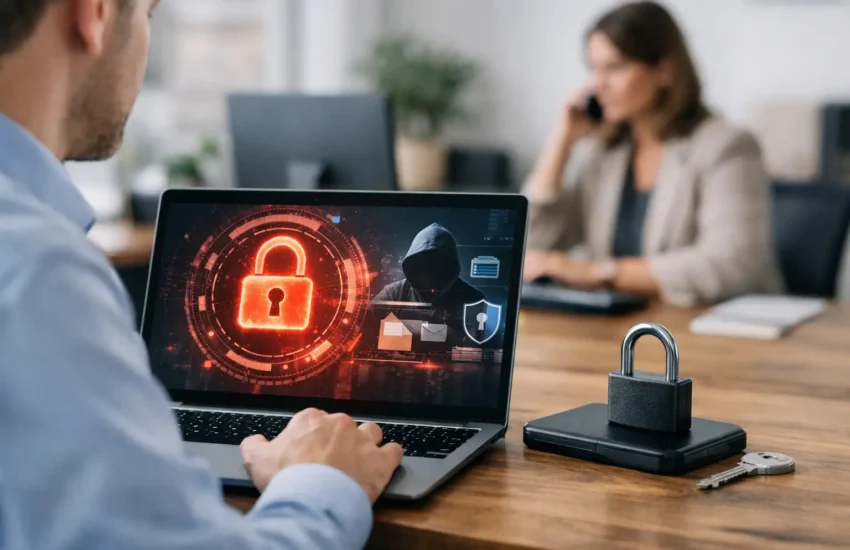
A single convincing email can stop a small business cold. An employee opens a fake invoice, enters a password on a lookalike sign-in page, and attackers gain access to shared files, financial records, customer data, or cloud systems. Effective ransomware protection for small business is not one product. It is a coordinated plan that prevents common entry points, limits the damage when something gets through, and restores operations without paying a criminal.
What Ransomware Protection for Small Business Requires
Ransomware is designed to create urgency. Attackers encrypt files, threaten to publish stolen data, and demand payment before your team has time to assess what happened. For a small company, the real cost can extend far beyond the ransom itself. Lost productivity, missed client commitments, recovery expenses, reputational harm, and possible legal obligations can all put pressure on the business.
The strongest defense uses layers because no individual control is perfect. A security tool may detect malicious activity, but it cannot always prevent an employee from sharing credentials with a convincing attacker. Backups can restore data, but they do not stop a compromised email account from sending fraudulent messages to clients. Security has to account for people, devices, identities, data, and the way your business actually operates.
For most small businesses, the priority is to build protections that are practical to manage. That means choosing controls that reduce risk without creating unnecessary friction for employees or requiring a large internal IT department.
Start With the Most Common Attack Paths
Email remains one of the most frequent ways ransomware reaches a business. A phishing message may impersonate a vendor, executive, bank, or cloud platform and ask the recipient to open an attachment, approve a login, or reset a password. Attackers also exploit weak or reused passwords, unpatched software, exposed remote access tools, and poorly secured cloud accounts.
A focused first step is to close these common gaps:
- Require multi-factor authentication for email, cloud applications, financial systems, remote access, and administrative accounts.
- Use a password manager so employees can create unique, long passwords without relying on memory or reuse.
- Keep operating systems, browsers, firewalls, business applications, and network equipment on a documented patch schedule.
- Deploy email filtering and endpoint protection that can identify suspicious attachments, links, and unusual device behavior.
- Remove local administrator rights from standard user accounts unless there is a clear operational need.
Multi-factor authentication deserves particular attention. It cannot eliminate every account takeover attempt, especially when users approve fraudulent prompts, but it makes stolen passwords far less valuable. Where possible, use phishing-resistant authentication methods and set up alerts for unusual sign-in activity.
Patch management is equally important. Many ransomware incidents begin with a known software weakness that already has an available fix. Small teams often postpone updates because they are busy or concerned about disruption. That trade-off should be managed carefully. Test major updates when necessary, but do not let critical security patches sit for weeks without a plan.
Treat Employee Awareness as an Operating Control
Employees should not be expected to become cybersecurity specialists. They do need to know what a suspicious request looks like and what to do next. Training works best when it is short, regular, and tied to the situations people encounter: unexpected invoices, fake document-sharing notices, urgent payment requests, and password reset emails.
Create a simple reporting process. If an employee receives a suspicious message, they should know exactly where to forward it or whom to contact. Quick reporting gives IT support a chance to block a malicious sender, investigate related activity, and warn the rest of the team before the message spreads.
It also helps to normalize caution around financial transactions. A request to change bank details, purchase gift cards, or send wire funds should be verified through a separate channel, such as a known phone number. This protects against business email compromise, which often overlaps with ransomware activity and can be just as financially damaging.
Build Backups You Can Actually Restore
Backups are a business continuity tool, not an afterthought. If ransomware encrypts your production systems, a clean and accessible backup may determine whether recovery takes hours, days, or much longer. However, backups only help if attackers cannot easily encrypt or delete them too.
A sensible backup approach keeps multiple copies of important data, stores at least one copy separately from the main network, and protects backup systems with separate credentials and multi-factor authentication. Cloud backups can be valuable, but they should be configured with retention, versioning, and access controls that prevent a compromised user account from wiping recovery points.
Do not assume a backup is usable because a job completed successfully. Test restores on a schedule. Restore individual files, full folders, and, where appropriate, critical systems to confirm that data is intact and that your team understands the process. Pay special attention to the data that keeps the business moving: accounting files, customer records, contracts, line-of-business applications, and configuration settings.
Recovery priorities will differ by company. A professional services firm may need immediate access to client documents, while a retailer may prioritize point-of-sale systems and inventory. Document these priorities before an incident, along with acceptable downtime and data-loss limits. Those decisions guide the right level of backup investment.
Limit How Far an Attack Can Spread
Once ransomware enters a network, attackers often look for shared drives, servers, backup repositories, and administrator accounts. Network segmentation helps contain that movement by separating sensitive systems from everyday user devices. A compromised laptop should not automatically have broad access to every server and shared resource.
Access controls matter just as much. Employees should have access to the files and applications required for their roles, not every resource in the organization. Review permissions when staff change roles or leave the company. Disable unused accounts promptly, including old vendor accounts and temporary accounts created for projects.
Endpoint detection and response tools add another layer by monitoring devices for suspicious behavior, such as mass file encryption, unusual command activity, or attempts to disable security software. These tools are most effective when someone is responsible for reviewing alerts and responding quickly. Buying software without ongoing monitoring can leave a business with warnings that no one sees until it is too late.
Prepare the First Hours of an Incident
The first response to a ransomware event can either contain the problem or make it worse. Your team should have a straightforward incident response plan that identifies who can make decisions, who contacts IT support, how systems are isolated, and how employees and clients will be informed if necessary.
If ransomware is suspected, disconnect affected devices from the network without immediately turning them off unless instructed by your incident response provider. Preserve evidence where possible, stop the spread, and avoid logging into multiple systems with potentially compromised credentials. Then bring in qualified technical and legal guidance to assess the scope, preserve records, meet notification obligations, and begin recovery.
Paying a ransom is not a recovery strategy. Payment does not guarantee that attackers will provide a working decryption key, delete stolen information, or avoid targeting the business again. In some cases, legal and insurance requirements may also affect the decision. The better position is to have tested backups, documented priorities, and expert support ready before an attack occurs.
Use Managed Support to Close the Coverage Gap
Small businesses often have capable employees handling technology alongside their primary jobs. That model can work until security monitoring, patching, backup testing, identity management, and incident response all require attention at once. A managed IT and cybersecurity partner can provide ongoing oversight while giving leaders a clear point of contact when an issue needs urgent action.
The right partner should understand your environment, document your systems, communicate in business terms, and help align security investments with operational risk. Ask how alerts are handled, how backups are tested, what happens after hours, and how the provider supports recovery during a real incident. URBlink helps businesses combine day-to-day IT support with proactive cybersecurity planning, so protection does not depend on a last-minute scramble.
Ransomware readiness is built through ordinary, repeatable decisions: protect accounts, update systems, train people, test backups, and rehearse the response. Each step makes an attacker’s job harder and gives your business more control when the unexpected happens.
