

A single stolen password can turn a routine workday into a business disruption. An employee may reuse a password from another service, enter credentials into a convincing phishing page, or approve a login they did not fully understand. That is why businesses need MFA: passwords alone no longer provide a reliable boundary around email, cloud applications, financial systems, customer records, or administrative tools.
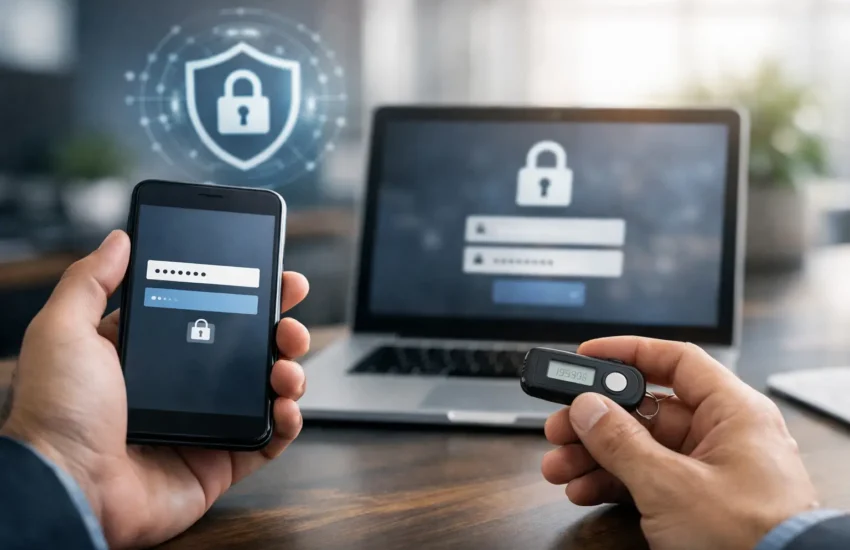
Multi-factor authentication, or MFA, requires users to provide more than one form of verification before accessing an account. Typically, that means something they know, such as a password, plus something they have, such as an authenticator app or security key. The extra check is small, but it can stop many of the attacks that cause downtime, fraud, and data exposure.
Why Businesses Need MFA for Everyday Security
Most successful account compromises do not begin with a sophisticated breach of a company network. They begin with a login. Attackers obtain credentials through phishing emails, password reuse, malware, breached databases, or social engineering. Once inside a trusted account, they can send fraudulent invoices, reset other passwords, access shared files, create forwarding rules in email, or impersonate leadership.
MFA changes the value of a stolen password. If an attacker has only the password but cannot complete the second verification step, the attempted login is far more likely to fail. It does not make an organization immune to attack, but it removes one of the easiest paths into business systems.
This is particularly important for small and midsized companies. A larger enterprise may have a dedicated security operations team watching for unusual logins around the clock. Many growing businesses do not. They need practical controls that reduce risk before a security event becomes a costly investigation or an operational emergency.
Email deserves special attention. For many organizations, a Microsoft 365 or Google Workspace account is the master key to daily work. It contains internal conversations, contracts, password reset messages, calendars, cloud-storage access, and contacts. A compromised mailbox can also be used to target vendors and customers from a legitimate-looking address. MFA helps protect that central point of control.
MFA Reduces the Business Cost of Phishing
Phishing remains effective because it targets people, not just technology. A message may appear to come from a bank, shipping company, software provider, or executive. It may arrive during a busy week, refer to a real project, and direct an employee to a login page that closely resembles a familiar service.
Security awareness training matters, but no training program produces perfect decisions every time. People are interrupted, rushed, and occasionally deceived. MFA provides a second layer of protection when a password is entered where it should not have been.
The protection is strongest when the organization selects methods that resist modern phishing techniques. Text-message codes are better than passwords alone, but they can be vulnerable to SIM-swapping, interception, and social engineering. Authenticator apps are generally a stronger default. Hardware security keys and passkeys can offer even greater resistance to fake login pages because they verify the legitimate website before approving access.
The right choice depends on the organization. A field workforce may need a simple app-based method that works from a phone. Employees with access to financial systems, administrator dashboards, or sensitive customer data may warrant security keys or phishing-resistant passkeys. The goal is not to impose the most complicated control everywhere. It is to match protection to the risk of the account.
Account Security Supports Business Continuity
When a login is compromised, the impact extends well beyond the affected employee. IT teams may need to suspend accounts, investigate activity, reset credentials, restore files, notify customers, and confirm that financial or operational information was not altered. Employees lose access to the tools they need while the issue is contained.
MFA helps preserve continuity by reducing the chance that a routine credential theft becomes a wider incident. It can prevent unauthorized access to cloud applications, remote desktop tools, virtual private networks, accounting platforms, customer relationship systems, and internal administration portals. That protection keeps work moving and helps prevent security events from becoming expensive downtime.
It also supports stronger vendor and customer relationships. Companies are increasingly asked how they protect sensitive information, especially when handling financial data, personal information, health-related records, or proprietary files. While MFA is only one component of a security program, it demonstrates that access controls are being managed responsibly.
For regulated businesses, MFA may also help satisfy contractual, insurance, or compliance expectations. Requirements vary by industry and policy, so businesses should not treat MFA as a complete compliance answer. Still, it is frequently a foundational control in a broader approach that includes backups, endpoint protection, access reviews, encryption, monitoring, and incident response planning.
Where MFA Should Be Required First
Every business should work toward broad MFA coverage, but prioritization is useful when resources are limited. Start with accounts that can create the greatest operational or financial impact. These usually include:
- Email and collaboration platforms, including shared mailboxes and administrator accounts
- Cloud storage, accounting, payroll, banking, and payment-processing systems
- Remote access tools, VPNs, remote desktop services, and network management platforms
- Privileged accounts used to manage servers, identity systems, backups, and security settings
Do not overlook third-party applications. A company may protect its primary email platform while leaving a project management, file transfer, customer support, or payroll account guarded only by a password. Attackers look for the easiest route, not necessarily the most obvious one.
Shared accounts require special handling. They reduce accountability because multiple people use the same credentials, and they make MFA more difficult to administer. Whenever possible, give each employee an individual account with only the access required for their role. If a shared account is unavoidable, document ownership, limit access, and use a managed authentication method rather than an employee’s personal phone number.
The Difference Between Enabling MFA and Managing It
Turning on MFA is a strong first step, but durable protection requires ongoing administration. New employees need secure enrollment. Departing employees must lose access promptly. Lost phones, replacement devices, and emergency access situations need a defined process that does not create an easy bypass for attackers.
Recovery procedures deserve careful attention. If helpdesk staff can reset MFA after a caller provides information easily found online, an attacker may simply target the recovery process instead of the login page. Verification for MFA resets should be deliberate, documented, and appropriate for the sensitivity of the account.
Businesses should also review conditional access rules and sign-in activity. For example, an organization may require additional verification for a login from an unfamiliar location, block outdated authentication methods, or restrict administrative access to managed devices. These controls can reduce risk without forcing every user through the same level of friction for every task.
There are trade-offs. Employees may initially see MFA as an extra step, particularly if they sign in repeatedly throughout the day. Poorly planned rollouts can generate support requests and encourage workarounds. The answer is not to weaken security. It is to configure sign-in persistence sensibly, provide clear enrollment instructions, select user-friendly methods, and keep a support process ready during rollout.
A Practical MFA Rollout for Growing Businesses
A successful rollout begins with an inventory of applications and accounts. Identify which systems support MFA, who has administrator access, and where high-value data resides. Then set a policy that defines approved authentication methods, required coverage, device expectations, and escalation procedures.
Before enforcing the policy company-wide, test it with a small group representing different roles. Their experience will reveal issues with mobile devices, remote work, shared mailboxes, older applications, and enrollment instructions. Address those issues before expanding the rollout.
Communication should be straightforward. Explain what is changing, when it takes effect, what employees need to do, and how to get help. Employees are more likely to cooperate when they understand that MFA protects not only company systems but also their identity and work tools.
Finally, review MFA coverage regularly. New software, acquisitions, changing roles, and evolving threats can create gaps over time. A managed IT and cybersecurity partner can help assess the environment, configure identity controls, support employees, and monitor access as the organization grows.
MFA is not a one-time checkbox. It is a practical decision to make stolen passwords less damaging, protect the systems people rely on, and give the business more control when risk appears. The best time to strengthen account security is before an unfamiliar login becomes a problem someone has to explain.
